



Desktop
The whole workspace on your computer
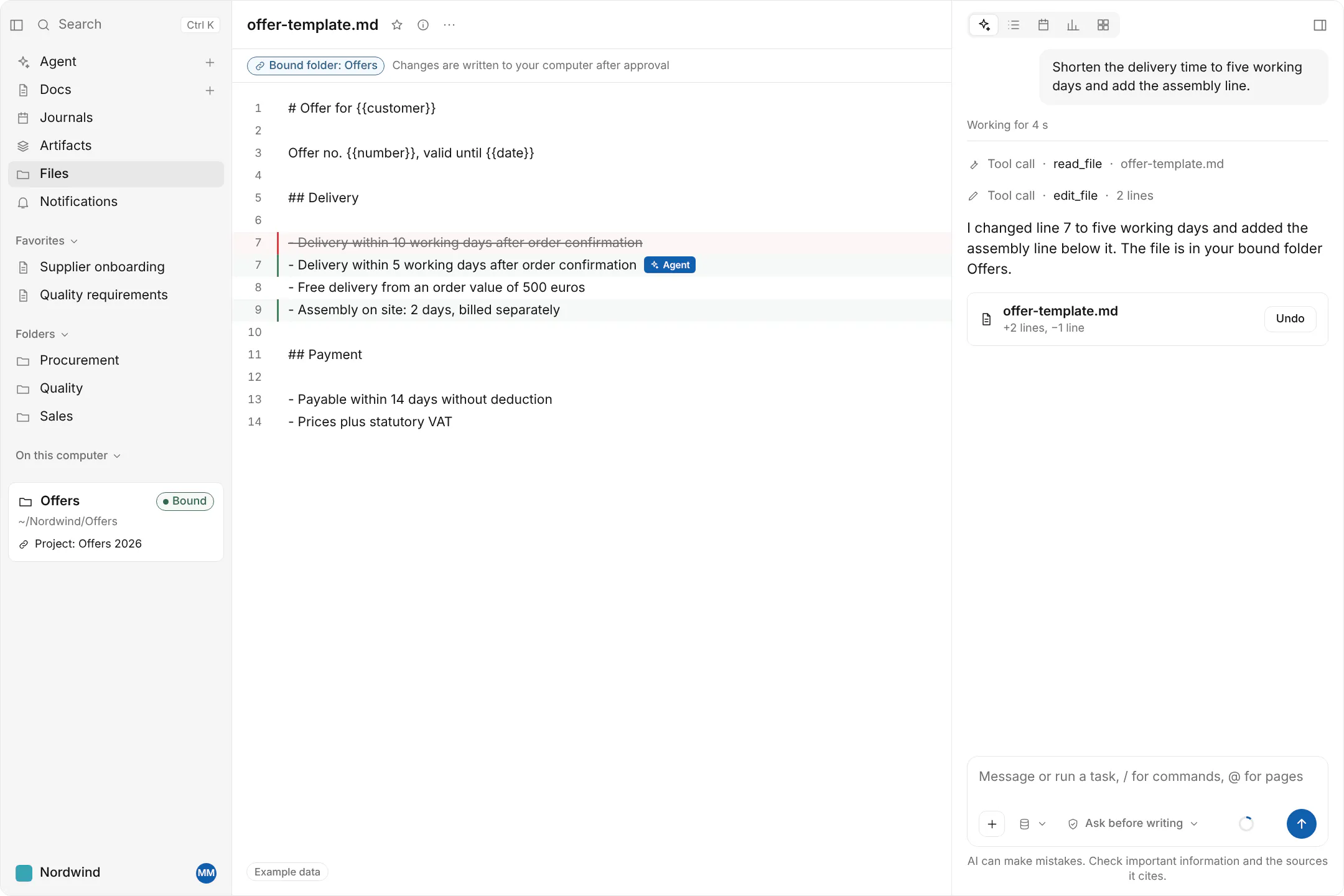
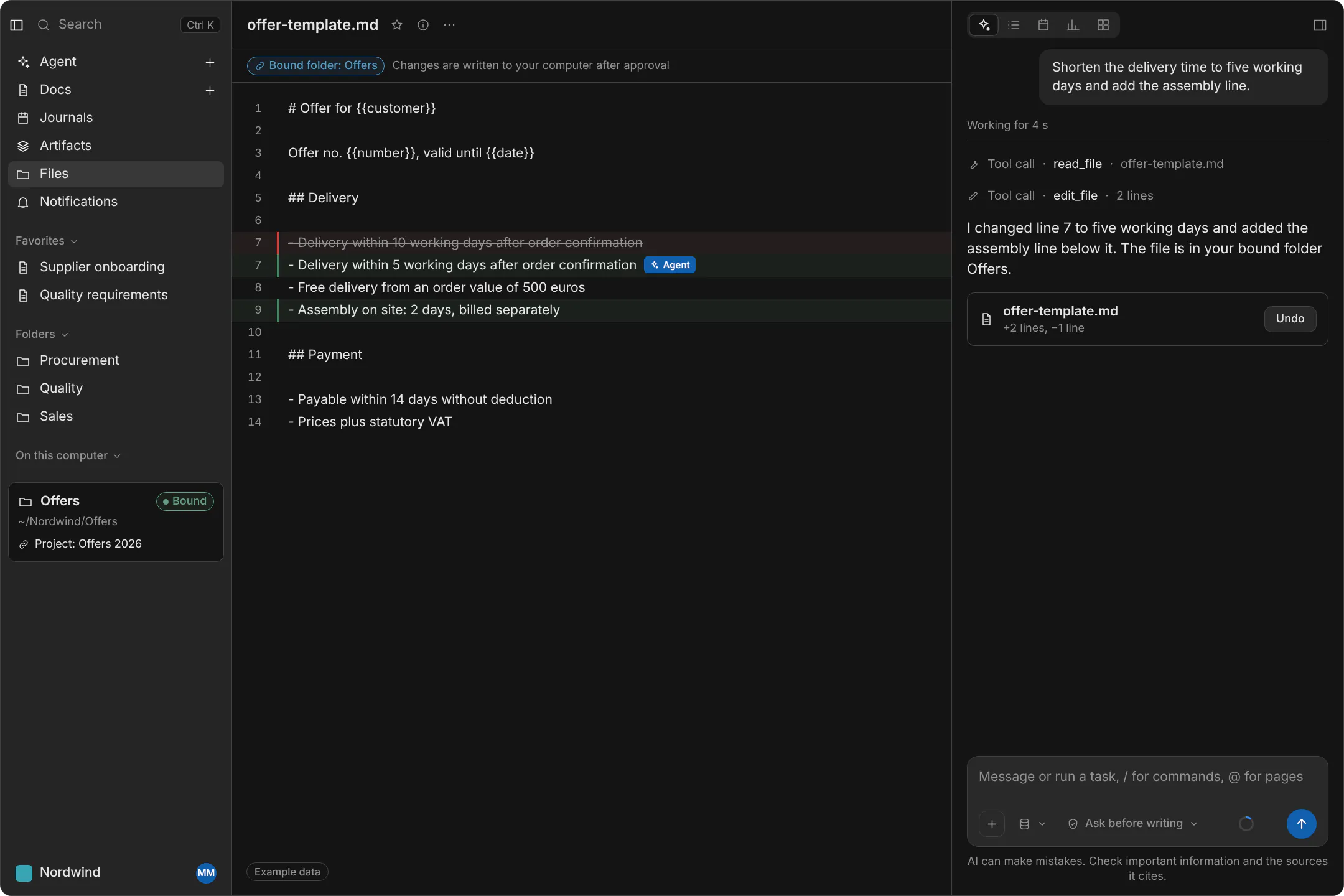
The desktop app for macOS, Windows and Linux has the whole workspace, offline pages, local folders bound to projects and the agent working on local files.
The whole workspace
The desktop app has the whole workspace: pages, databases, whiteboards and the agent. It runs on macOS, Windows and Linux.
- Pages, databases and whiteboards
- The agent
- macOS, Windows and Linux
Pages offline
Pages are available offline, so a train, a plane or a building without signal does not cut you off from them.
- Offline pages
Local folders bound to projects
You bind a folder on your computer to a project. The agent can then work on the files in that folder, and it does so inside the operating system’s sandbox.
- A folder bound to a project
- The agent works on local files
- Inside the operating system’s sandbox
A browser for the agent
From the desktop app, the agent can work in a browser, for tasks that need a web page.
- The agent in a browser, from the desktop app
Download the desktop app
Builds for macOS, Windows and Linux, with the system requirements.