



Deployment models
One platform, three places to run it
Facthory runs as a managed service on Google Cloud, inside your own cloud account, or on your own servers. The platform is the same in all three. What changes is who runs it, where your data lives and who holds the keys.
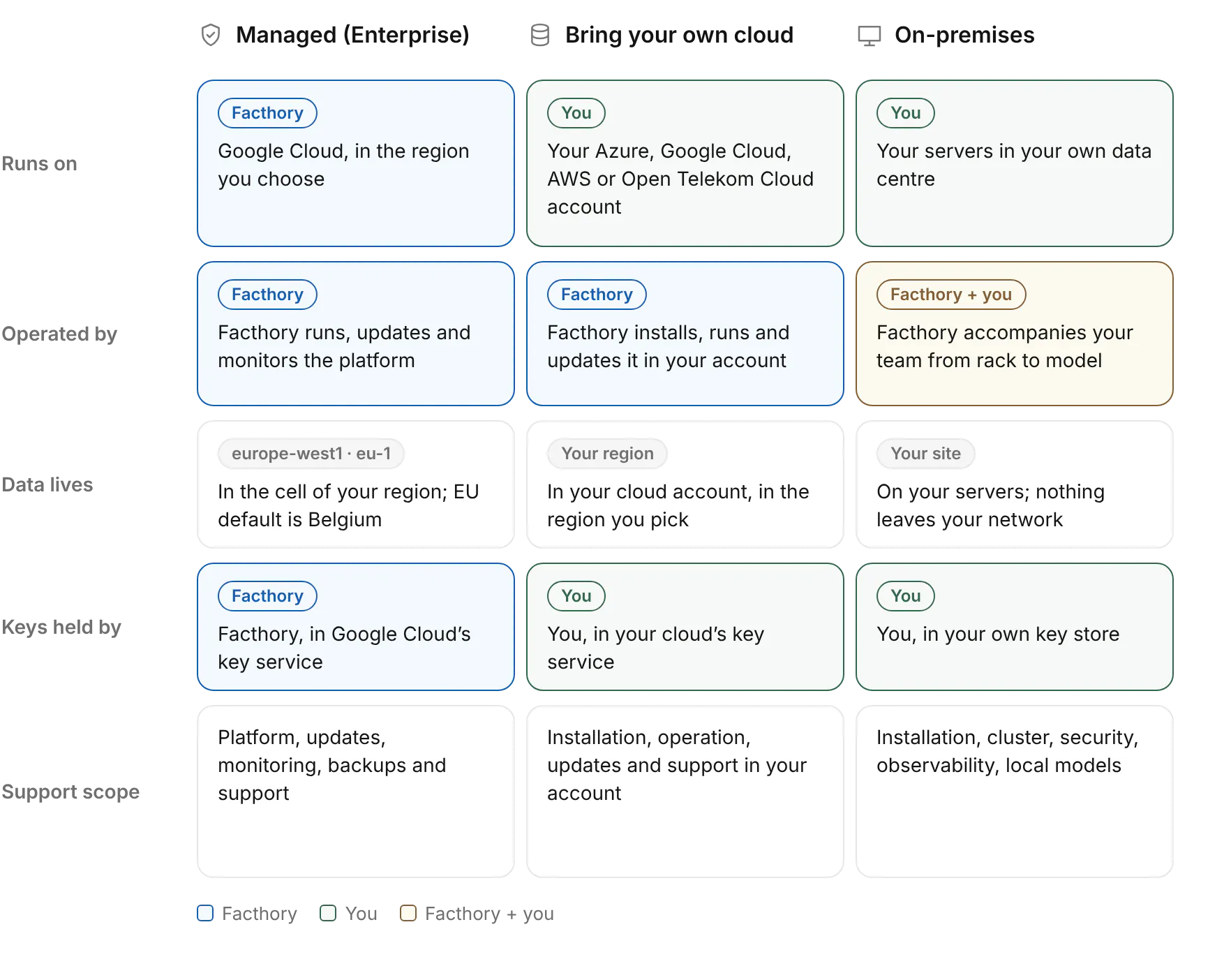
The models side by side
| Managed (Enterprise) | Bring your own cloud | On-premises | |
|---|---|---|---|
| Runs on | Google Cloud, in the region you choose | Your account at Microsoft Azure, Google Cloud, Amazon Web Services or Open Telekom Cloud | Your servers in your own data centre |
| Operated by | Facthory | Facthory, in your account | Facthory and your team together |
| Data lives | In the cell of your region; the EU default is europe-west1, Belgium (eu-1) | In your cloud account, in the region you pick | On your servers |
| Keys held by | Facthory, in Google Cloud's key service | You, in your cloud's key service | You, in your own key store |
| Support scope | Platform, updates, monitoring, backups and support | Installation, operation, updates and support in your account | Installation, cluster, security, observability and local models |
Which one fits
- Managed (Enterprise) when you want the platform running quickly and Facthory to carry the operation. You choose the Google Cloud region, and a shared EU cell or a dedicated cell isolates your tenant.
- Bring your own cloud when your cloud account, network policy and billing are already the place where workloads live.
- On-premises when data and models stay inside your own data centre. Facthory accompanies the work from the first rack to the first local model.
The three models
Each page shows the architecture and what Facthory does at every step.
Choose the boundary that fits your estate
Tell us where your data has to live and who has to hold the keys. We show you the model that fits.